Six Things I Changed That Made Claude AI Extremely Useful
Getting Better Results from Claude AI - Six Practical Tips

Most people using Claude AI get mediocre results and assume that is the ceiling. It is not. The difference between average and excellent output is setup, not capability. After months of daily use across coding, writing, architecture, and research, I have found six changes that consistently turn throwaway drafts into usable work on the first attempt.
These are not theoretical. Each one has saved me hours of rework and revision, and collectively they have changed AI from a novelty into a genuine productivity multiplier.
1. Context is Everything
The single biggest improvement you can make is to give more context. Claude is not psychic. The more specific your input, the better your output.
Don’t ask: “Write me a blog post about leadership.”
Ask: “Write a 700-word blog post for a LinkedIn audience of mid-level IT managers, using a direct and practical tone, arguing that leadership is the single biggest constraint on team performance.”
The second prompt gives purpose, audience, length, tone, and a specific angle. You will get something usable on the first attempt rather than something generic that needs three rounds of revision.
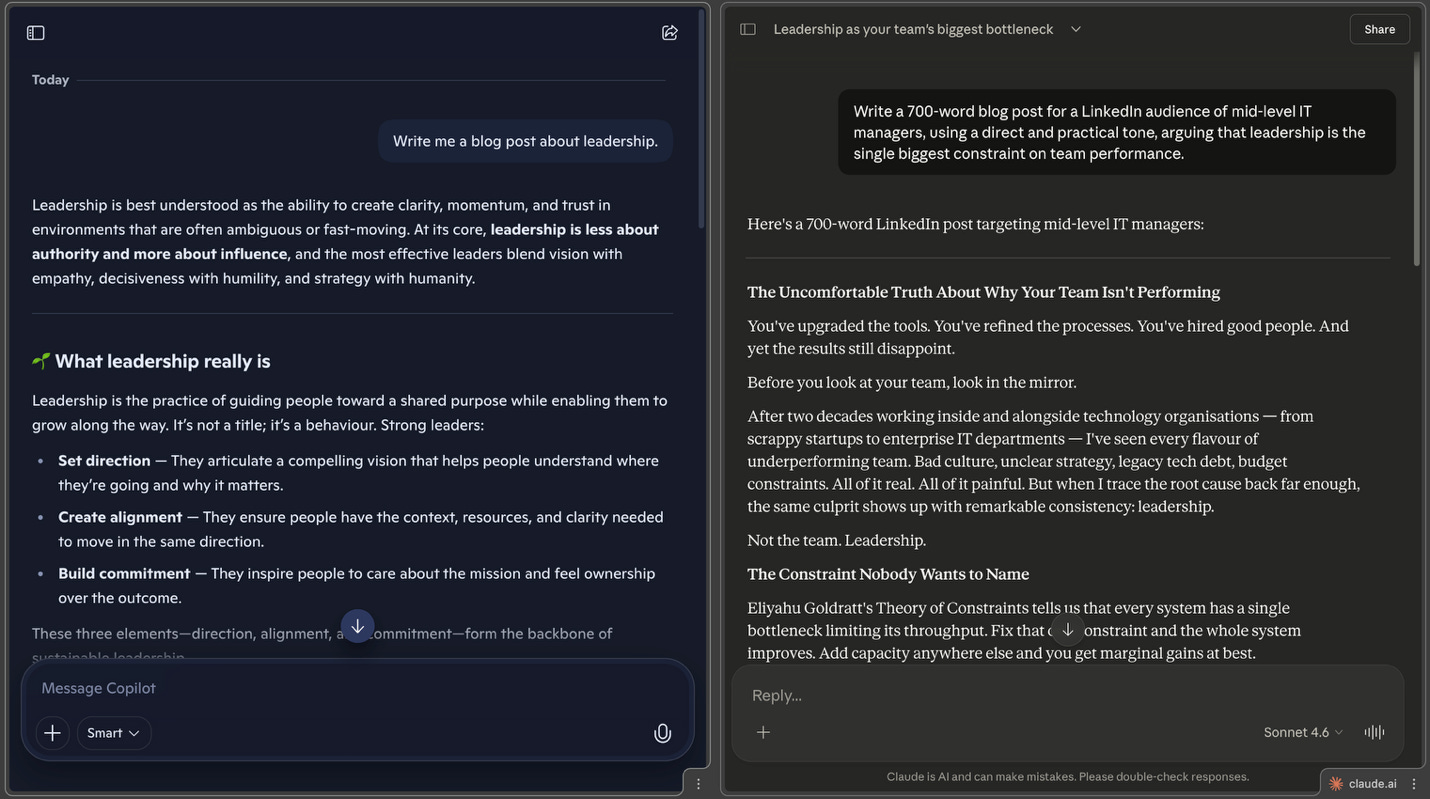
NB: Using Copilot and Claude for the screenshot. When I asked Claude without enough context, many questions were asked…….
2. Let Claude Ask You Questions
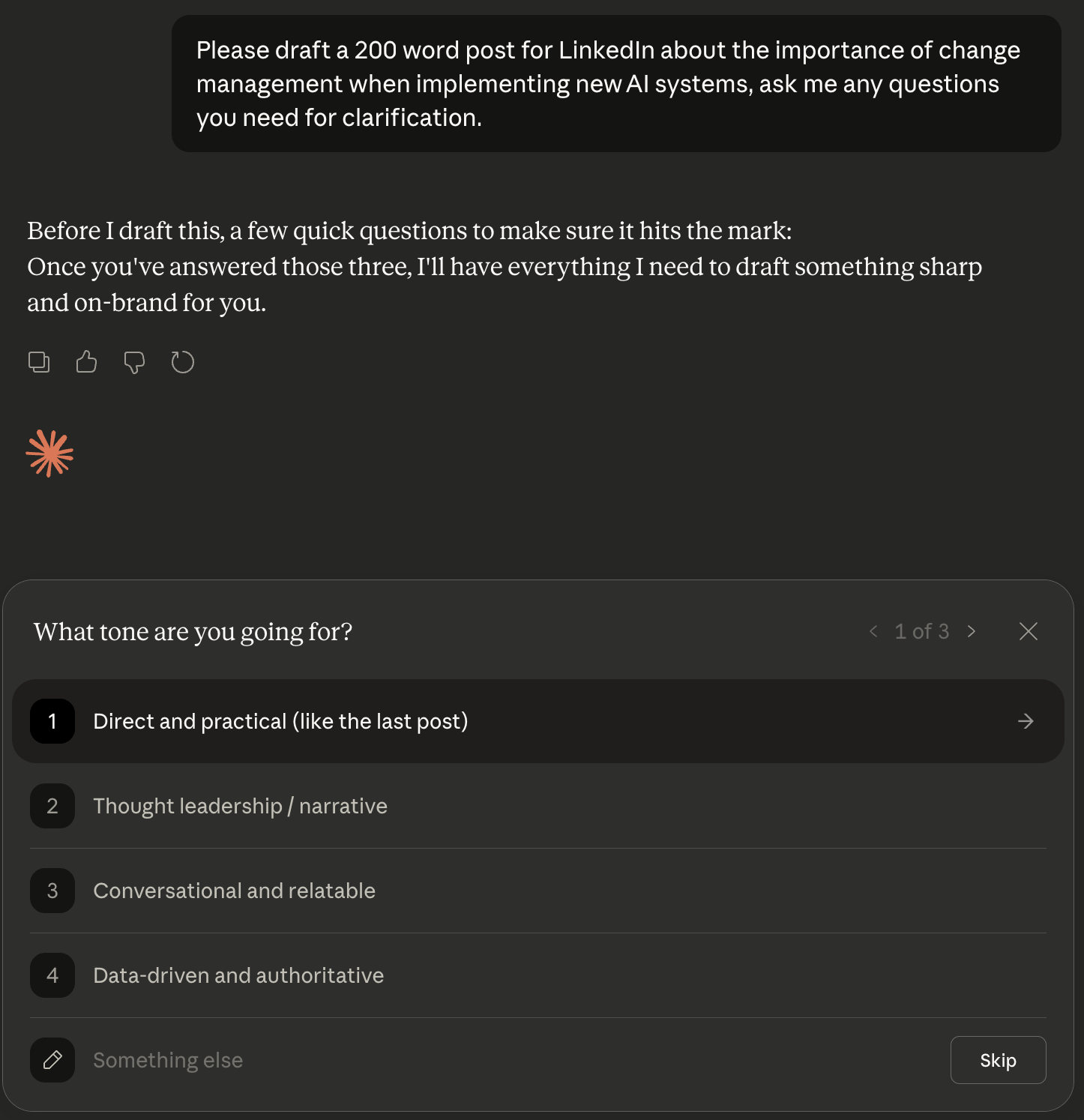
This one changed how I work completely. At the end of any prompt of reasonable length, two or three sentences or more, add this line:
“Before you start, please ask me any questions or clarifications you need.”
What happens next is revealing. Claude surfaces options and angles you had not considered, and forces itself to think about what it actually needs before generating a response rather than making assumptions. Sometimes I get one or two questions. Sometimes I get five or six. Either way, the output is noticeably better.
3. Give It Your Writing Style
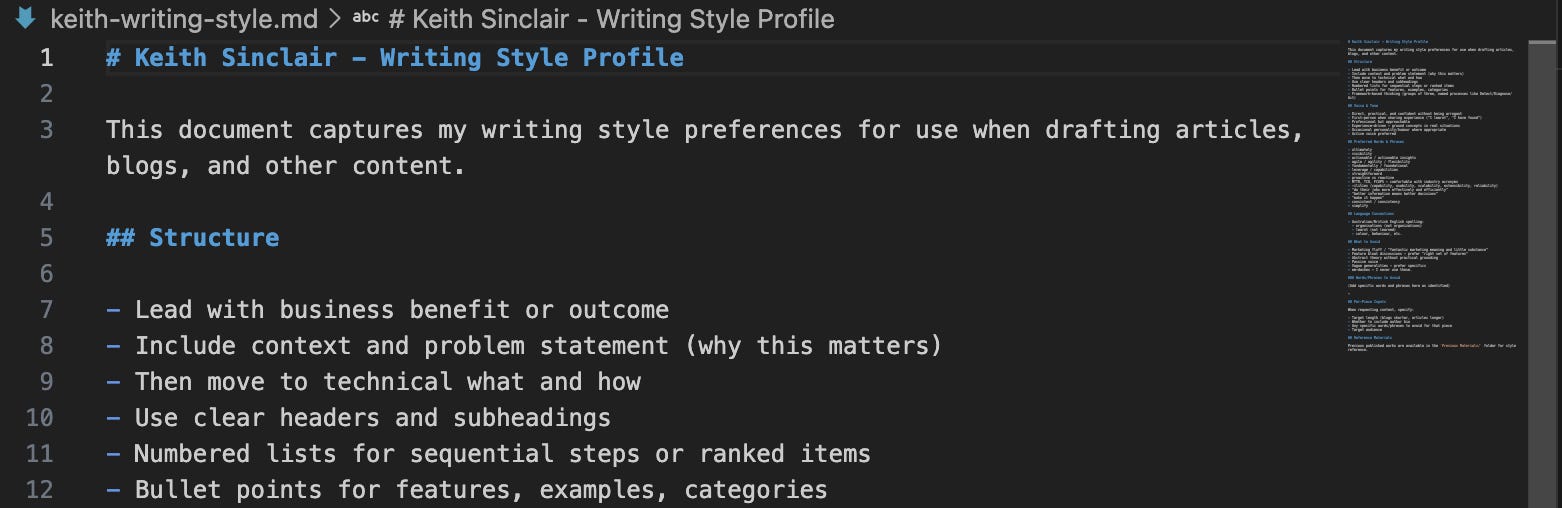
If you want the AI to sound like you, you need to show it what “you” sounds like. Take a few pieces of writing you are genuinely proud of and ask Claude to analyse them:
“Analyse these documents and create a writing style profile for me. Include tone, preferred phrases, structure, and what to avoid. Save it as writing-style.md.”
From that point on, whenever you ask Claude to write or edit anything, reference the profile: “Use my writing style as defined in writing-style.md.” The difference is significant. Less generic AI voice, more your voice.
Ruben Hassid has written a lot about this and keeps adding more, check out a comprehensive option here: I am just a text file
4. Build a Project Environment
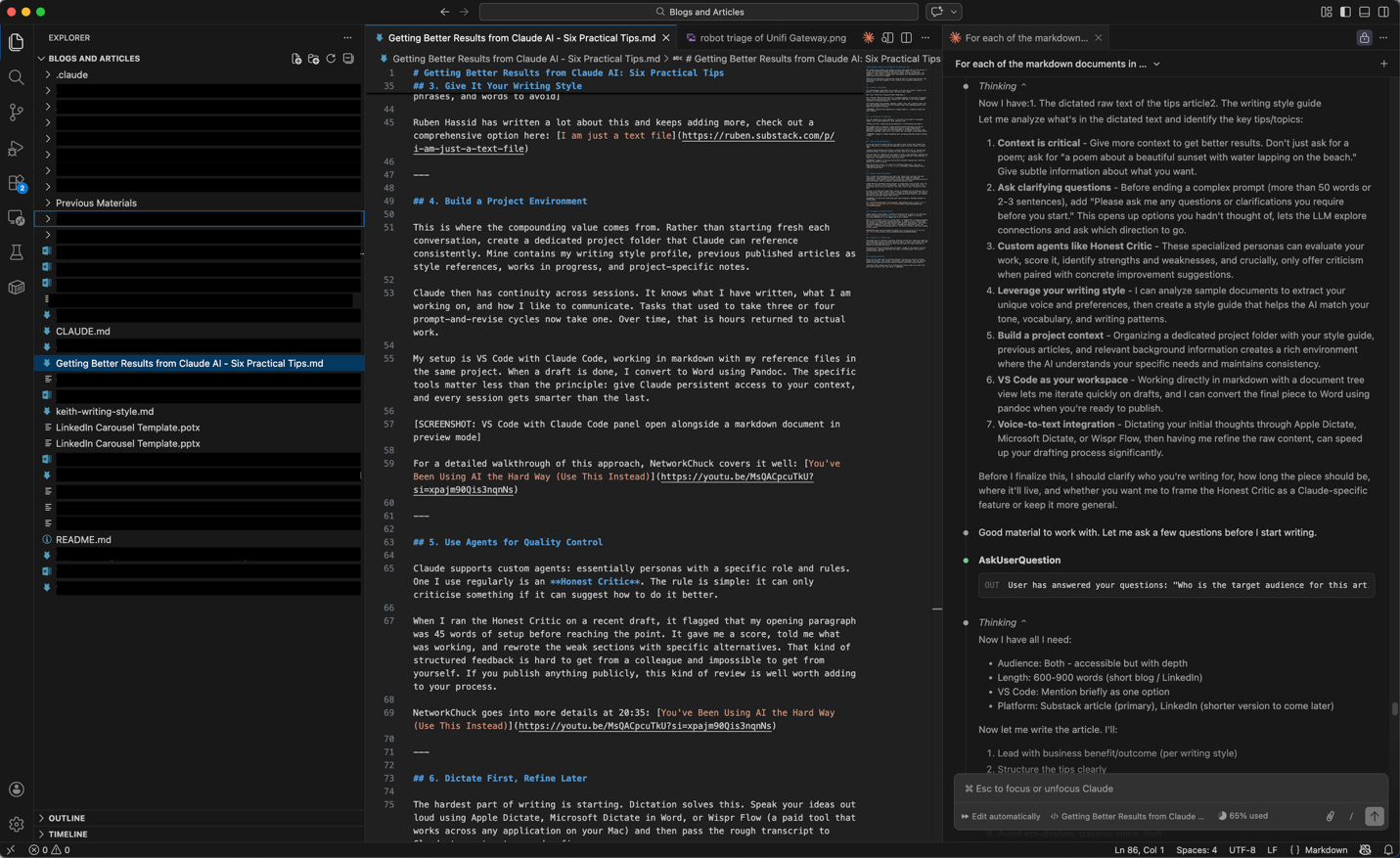
This is where the compounding value comes from. Rather than starting fresh each conversation, create a dedicated project folder that Claude can reference consistently. Mine contains my writing style profile, previous published articles as style references, works in progress, and project-specific notes.
Claude then has continuity across sessions. It knows what I have written, what I am working on, and how I like to communicate. Tasks that used to take three or four prompt-and-revise cycles now take one. Over time, that is hours returned to actual work.
My setup is VS Code with Claude Code, working in markdown with my reference files in the same project. When a draft is done, I convert to Word using Pandoc. The specific tools matter less than the principle: give Claude persistent access to your context, and every session gets smarter than the last.
For a detailed walkthrough of this approach, NetworkChuck covers it well: You’ve Been Using AI the Hard Way (Use This Instead)
5. Use Agents for Quality Control
Claude supports custom agents: essentially personas with a specific role and rules. One I use regularly is an Honest Critic. The rule is simple: it can only criticise something if it can suggest how to do it better.
When I ran the Honest Critic on a recent draft, it flagged that my opening paragraph was 45 words of setup before reaching the point. It gave me a score, told me what was working, and rewrote the weak sections with specific alternatives. That kind of structured feedback is hard to get from a colleague and impossible to get from yourself. If you publish anything publicly, this kind of review is well worth adding to your process.
NetworkChuck goes into more details at 20:35: You’ve Been Using AI the Hard Way (Use This Instead)
If you would like a copy of my Honest Critic agent, get in touch on ks(at)tek42.io.
6. Dictate First, Refine Later
The hardest part of writing is starting. Dictation solves this. Speak your ideas out loud using Apple Dictate, Microsoft Dictate in Word, or Wispr Flow (a paid tool that works across any application on your Mac) and then pass the rough transcript to Claude to restructure and refine.
The quality of the raw dictation does not matter. Claude is very good at turning a conversational, rambling transcript into clean, structured prose. This article started exactly that way.
The Underlying Pattern
Every tip here comes back to the same principle. The more you invest in setting Claude up correctly, with context, constraints, and continuity, the less time you spend fixing outputs and the more time you spend on work that actually matters.
I estimate these changes have cut my drafting and revision time by at least half. Start with tip one or two. The return is immediate.